Your real-time AI teleprompter
Hears the question.Shows the answer.
LiveCaption listens to the conversation and puts clear speaking notes on your screen while you're still nodding. Before the pause gets awkward.
How it works
Built for the moment someone asks you something.
It hears the room
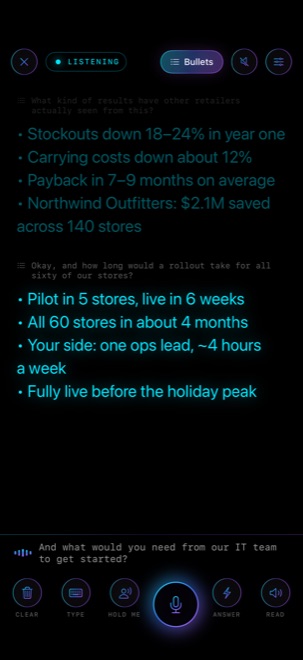
Live transcription follows the conversation. When the speaker pauses, LiveCaption knows a question just landed. Or tap ⚡ to answer only when you want.
Your AI drafts the answer
The question goes to the AI you choose, with your briefing and the most relevant passages from your own files. Small talk is skipped.
You glance and speak
The answer streams onto a black prompter in big glowing text, floats in AR, or plays in your earpiece. You stay in the conversation.
Features
Everything you need to sound prepared.
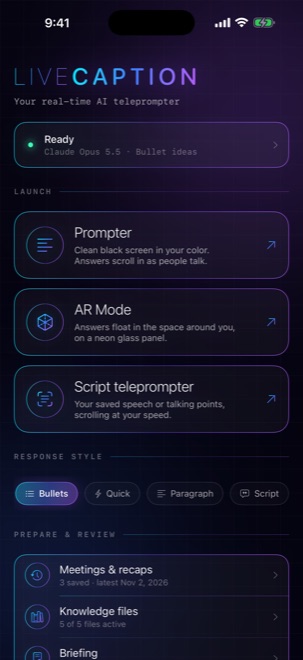
Switch answer styles at any moment from the top bar.
Prompter
A black screen with large neon text in any color, plus mirror mode for teleprompter glass and auto-scroll.
AR mode
Your answer floats on a neon glass panel about 75 cm in front of you, or pins to the screen as a HUD.
Script teleprompter
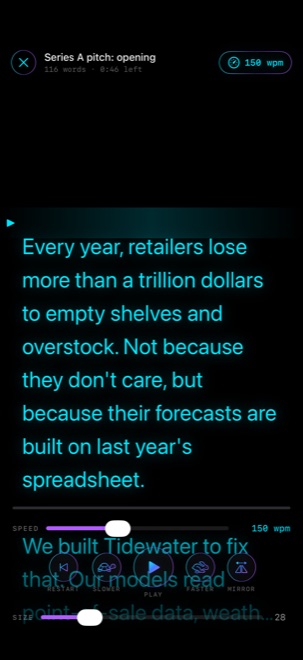
Smooth auto-scroll at your words per minute, with a reading line, a 3-2-1 countdown, mirror mode and an AR view.
Knowledge files
Import PDFs, notes, pricing and case studies. The most relevant passages go with each question, so answers use your real numbers.
Meetings & AI recaps
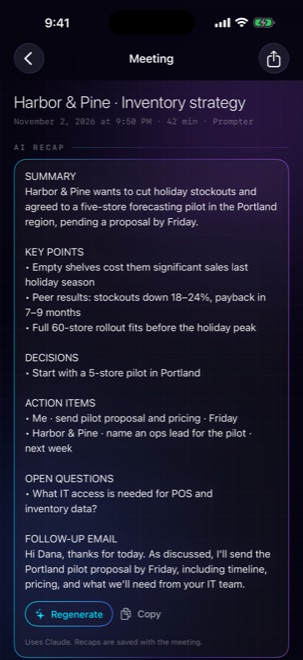
Every session is saved on your device. Afterwards you get a summary, decisions, action items and a draft follow-up email.
Ignore my voice
Hold Me while you talk, or let LiveCaption learn your voice, so it answers them and not you.
Read aloud
Hear answers through an earpiece. The mic pauses while it speaks, so it never transcribes itself.
Briefing
Tell the AI who you are, who you're meeting and what you want. It's sent with every question for sharper answers.
Your choice of AI
Claude, ChatGPT, Gemini, Groq and more with your own key, a private model on your computer, or Apple Intelligence on device.
On iPhone & iPad
Glanceable by design.
LiveCaption for Mac
Answers on every video call.
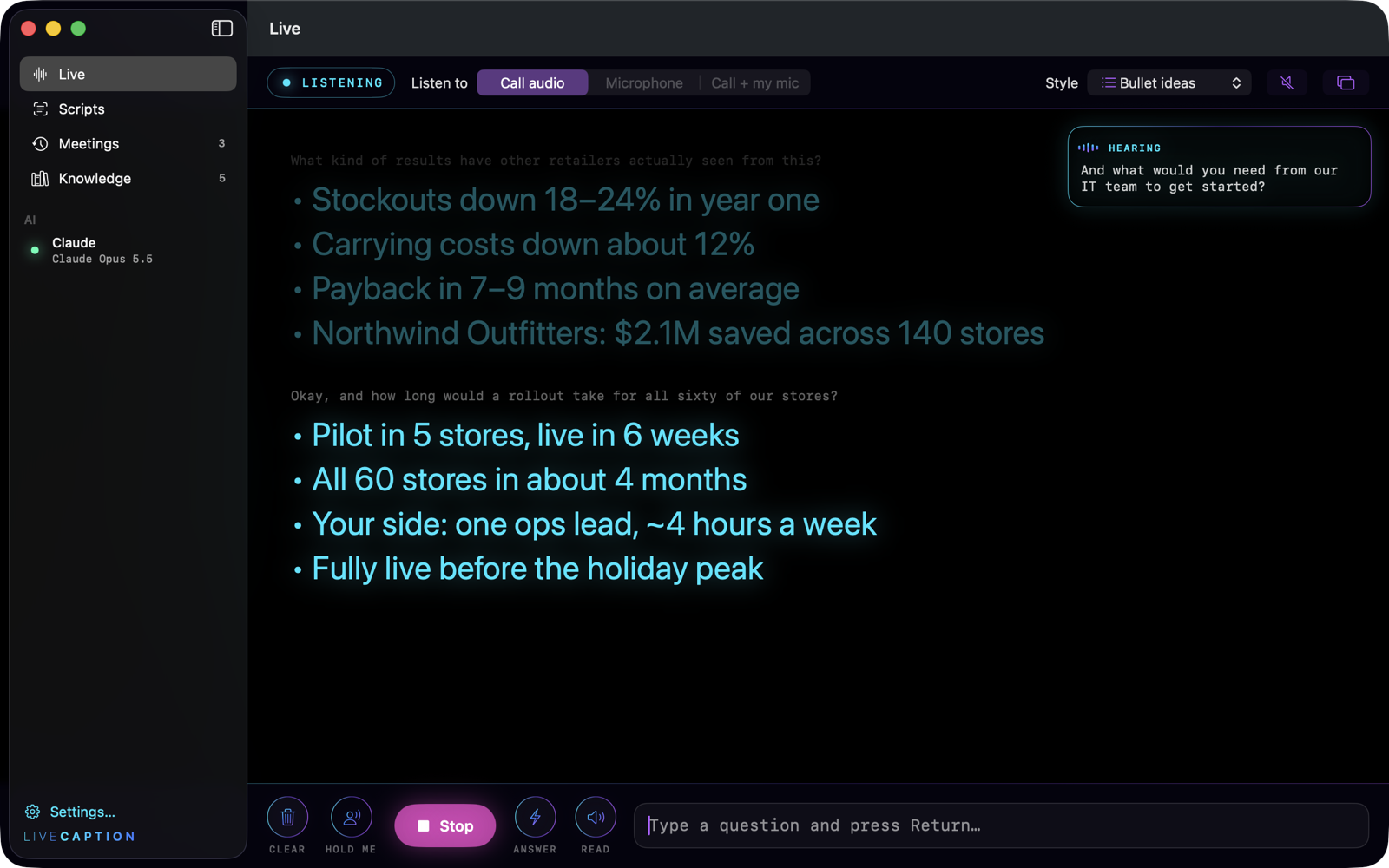
- Hears the call itself. Zoom, Teams, Meet or any app, through call audio. Or use your mic for in-person meetings.
- Floating overlay. An always-on-top answer card over your call, hidden from screen sharing and recordings by default.
- Menu bar control. Start listening and see the latest answer without leaving your call.
LiveCaption for Windows
Now on your Windows PC.
- Hears your calls. Zoom, Teams, Meet or any app, through system audio. Or your mic for in-person meetings.
- Floating overlay. An always-on-top answer card, hidden from screen sharing by default.
- Script teleprompter. Your talk at your speed, with a reading line and speed control.
- Recaps and knowledge files. Every meeting summed up, answers grounded in your own docs.
Subscription
Windows 10 and 11. Use it on up to 2 PCs. Cancel any time.
Bring your own AI key (Claude, ChatGPT, Gemini and more) or use a local model. Payments by Stripe.
Private by design
Your meetings stay yours.
Your conversations never reach us.
The iPhone, iPad and Mac apps need no account. On Windows, your account is used only for your subscription. Transcripts and answers never touch our servers.
Keys in your Keychain
API keys are stored in the Apple Keychain and sent only to the AI provider you choose.
Stored on your device
Meetings, recaps, scripts and knowledge files stay on your device. Use Apple Intelligence or a local model to keep everything offline.
Never get caught without an answer.
Available now for Android and Windows, and coming soon to the App Store for iPhone, iPad and Mac.